Amazing Computer Geek Facts OFFLINE2.6.0
Publisher Description
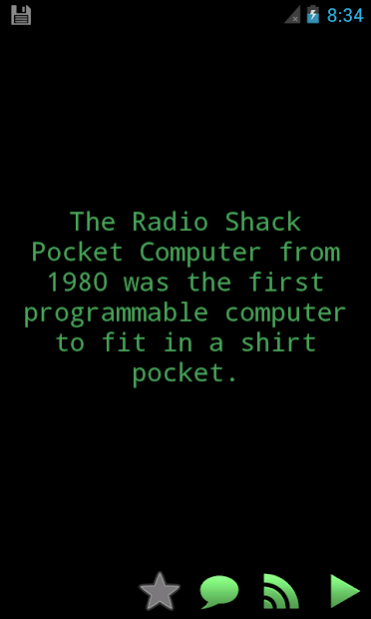



Learn every day new strange and funny facts and trivia about video games, internet, software, etc.
Features:
* Hundreds of fascinating geek facts
* Receive daily facts in the notification bar
* Very fast and simple to use
* Works offline, even in "airplane mode". Access all facts any time, anywhere, no internet connection needed.
* Search any term and find all facts about it
* Bookmark your favorite facts for quick future reference
* Read random facts
* Share your favorite facts by Email, etc.
* Listen to the facts using Android's built-in Text-to-speech synthesizer
* Works in both portrait and landscape mode for easier reading
FAQ:
Q: How can I share a fact from the list?
A: Just press for 2 or 3 seconds over the fact, a menu with the available sharing options will appear
Q: How can I change the speech speed?
A: The speed of the speech is controlled by the TTS engine installed with Android. It can be set up by going to:
Settings --> Voice input & output settings --> Text to speech settings --> speech rate
Q: How can I change the speech accent?
A: Just go to Menu --> Settings and select the language. Currently, 2 accents are available:
* English (US)
* English (GB)
About the permissions:
We know you may be worried about the permissions required by the application so here is the explanation of why they are needed:
To load the ads used to support the development of the application, these permissions are required:
- Full Internet access
- View network state
About the speech synthesizer:
The text-to-speech (TTS) technology may not be available in some devices. To check if your phone is able of speech synthesis: Menu -> Settings -> Voice input & output -> Text-to-speech settings.
If not installed, your device may ask you to install the TTS engine. An internet connection may be required. We recommend installing it before traveling as roaming data tariffs may be very expensive.
About Amazing Computer Geek Facts OFFLINE
The company that develops Amazing Computer Geek Facts OFFLINE is Intellimax, Inc.. The latest version released by its developer is 2.6.0. This app was rated by 1 users of our site and has an average rating of 4.0.
To install Amazing Computer Geek Facts OFFLINE on your Android device, just click the green Continue To App button above to start the installation process. The app is listed on our website since 2018-05-04 and was downloaded 29 times. We have already checked if the download link is safe, however for your own protection we recommend that you scan the downloaded app with your antivirus. Your antivirus may detect the Amazing Computer Geek Facts OFFLINE as malware as malware if the download link to com.movinapp.facts.computer is broken.
How to install Amazing Computer Geek Facts OFFLINE on your Android device:
- Click on the Continue To App button on our website. This will redirect you to Google Play.
- Once the Amazing Computer Geek Facts OFFLINE is shown in the Google Play listing of your Android device, you can start its download and installation. Tap on the Install button located below the search bar and to the right of the app icon.
- A pop-up window with the permissions required by Amazing Computer Geek Facts OFFLINE will be shown. Click on Accept to continue the process.
- Amazing Computer Geek Facts OFFLINE will be downloaded onto your device, displaying a progress. Once the download completes, the installation will start and you'll get a notification after the installation is finished.
Program Details
System requirements
Download information
Pricing
Version History
version 2.6.0
posted on 2018-05-04
Bug fixes
version 1.0.0
posted on 2013-01-14
Several fixes and updates
